SERP Parsing with AI Overviews in 2026: A Step-by-Step Guide with Proxies and API
Inhalt des Artikels
- Introduction
- Preliminary preparation
- Basic concepts
- Step 1: forming queries and localization parameters
- Step 2: choosing and setting up proxy infrastructure
- Step 3: quick start with ready-made serp apis
- Step 4: custom http parser for output
- Step 5: rendering aio and dynamics via browser
- Step 6: bypassing and handling captchas, quotas, and errors
- Result verification
- Common errors and solutions
- Additional opportunities
- Faq
- Conclusion
Introduction
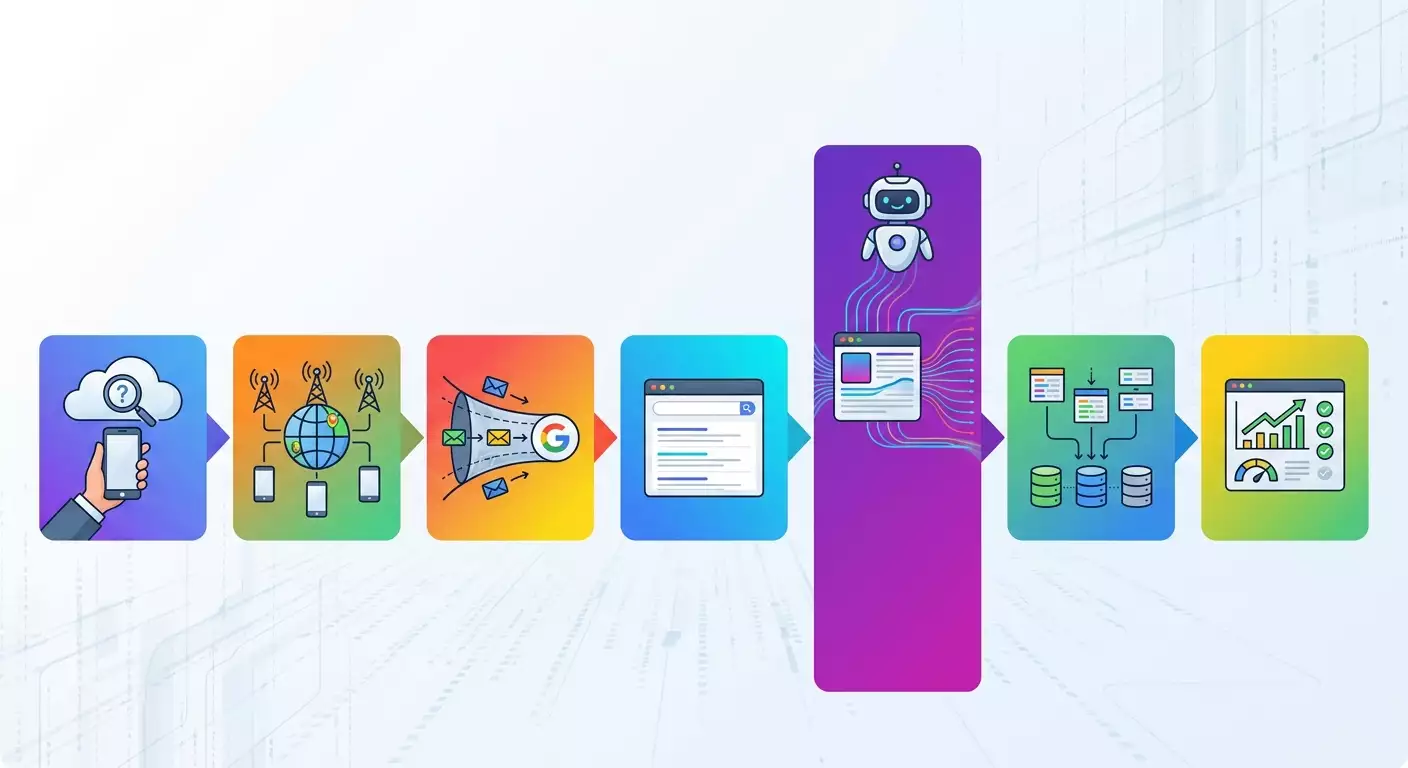
In this practical guide, you will set up stable and reproducible parsing of Google’s search results for 2026, including AI Overviews, People Also Ask, video carousels, knowledge cards, local packs, and commercial features. You’ll obtain a working pipeline using ready-made SERP APIs and an alternative proprietary setup with proxies, session management, and error handling. In the end, you'll learn how to verify data quality, track changes in markup, and improve your success rate using mobile proxies and appropriate request headers.
This guide is aimed at SEO specialists, analysts, developers, and project owners who need a robust SERP extraction strategy amid changing anti-bot protection and the emergence of AI Overviews. Beginners will find every step clearly explained, while advanced users will discover ready-to-use code blocks, throttling methods, and optimization ideas.
Before starting, it’s helpful to have a basic understanding of HTTP, know what proxies are, and how to read JSON. However, we will explain key points in simple terms. Plan for 1-2 working days to go through the entire guide with testing. A basic setup using a ready-made SERP API will take 1-2 hours, but creating your own parser with AIO rendering and stable proxy rotation will require more attention.
You will receive: a step-by-step guide, a set of working parameters for geo and language, templates for requests to ready-made SERP APIs, code templates for custom solutions, checklists for debugging, quality control checkpoints, and recommendations for using mobile proxies, which in 2026 provide a higher success rate than datacenter proxies.
Preliminary Preparation
To successfully complete all stages, gather your tools and access in advance.
Required Tools
- Programming language: Python 3.10+ or Node.js 18+ for examples. Choose one.
- Ready-made SERP APIs: SerpAPI, ScraperAPI, Bright Data SERP API. Just one is enough for a quick start.
- Proxy infrastructure: mobile proxies with rotation and support for HTTP(S)/SOCKS5. Providers with real SIM cards and wide geographic coverage work well.
- Headless browser for AIO rendering: Playwright or Puppeteer.
- Third-party utilities: cURL or HTTP client Postman for manual checks.
- Control tools: IP checker, DNS Leak Test, Proxy Checker, delay map, proxy calculator, browser fingerprint generator.
System Requirements
- OS: Windows 10/11, macOS 12+, or Linux (Ubuntu 22.04+). Any current system will work.
- RAM: at least 8 GB. For mass rendering, 16 GB+ is recommended.
- Free space: at least 5 GB for logs and caches.
- Stable internet connection: at least 20 Mbps. For clusters, aim for 100 Mbps+
What to Install
- Install Python 3.10+ and pip package manager or Node.js 18+ with npm.
- Install Playwright or Puppeteer for dynamic rendering (useful for the AIO stage).
- Prepare access to the selected SERP API. Create API keys and enable billing.
- Get access to mobile proxies. Check the rotation methods: by timer, API, or URL.
- Set up logging: a file logger or log service. This is essential for diagnosing errors.
Backups
If you’re integrating the parser into an existing project, create backups of configs and database schemas to quickly revert if changes don't work out.
Tip: Version all configurations using Git and store secrets (API keys) in a secrets manager. This will simplify collaboration and returning to a stable version.
Basic Concepts
Before coding, let’s clearly define some key terms and principles that will ensure your success.
Key Terms
- AI Overviews (AIO) - blocks of AI-generated responses in Google, often appearing above organic results and containing brief summaries, lists, sometimes images and sources. In 2026, their appearance depends on the query, geo, history, and signal quality.
- People Also Ask (PAA) - a block of frequently asked questions. When expanded, it loads additional answers.
- Video carousels - horizontal blocks of videos with thumbnails, often featuring hosting platforms and duration time, sometimes with snippets.
- Local packs - maps, packs of places (3-pack), organizational cards with ratings and hours of operation.
- Proxies - intermediate servers for executing requests. They can be mobile, residential, or datacenter-based, differing in IP source and reputation.
- Rotation - switching IP or session at set intervals or due to an event (error, CAPTCHA, limit).
- Success rate - the proportion of successful responses without blocks, CAPTCHAs, or erroneous redirects.
Understanding Key Concepts
- Google dynamically reconstructs the SERP, loading parts of content over the network. Some blocks appear after user interaction or scripted rendering.
- The structure of AIO and carousels is not permanently fixed. In 2026, this structure may change more frequently than classic SERP markup from 2018-2020.
- Correct geolocation (hl, gl, uule) and valid mobile context (UA, headers) enhance relevance and stability of results.
- Mobile proxies provide a higher success rate due to the reputation of carrier networks and the natural behavior pattern of mobile clients.
⚠️ Attention: Use the official API and service terms wherever possible and comply with current legislation. This guide teaches techniques and methods for correct integration, not for rule violations.
Step 1: Forming Queries and Localization Parameters
Objective of This Step
Gather correct search query parameters to obtain a predictable SERP that closely resembles real user conditions in the chosen country, city, and on a mobile device.
Step-by-Step Instructions
- Define the interface language. For Russian, use hl=ru most often.
- Select the display country. For example, gl=ru for Russia, gl=by for Belarus, gl=kz for Kazakhstan. Clarify your target market.
- Set the city using uule. Generate the uule code for the desired city. It encodes geolocation so that the SERP matches the selected location. If your tool has a uule generator, use it. Alternatively, choose a closely related city with the required language.
- Determine the device. For mobile SERP, use a mobile User-Agent. Example: modern Android or iOS UA. This will affect the types of blocks.
- Set safe search and personalization parameters. For reproducibility, disable personalization and maintain uniform cookies only with technical flags if necessary.
- Compile a list of queries. Start with 5-10 keywords for testing. For example: buy headphones, weather forecast Moscow, how to choose a refrigerator. Add at least one question query to test AIO and PAA.
- Establish a uniform output format. Agree that each result will be in JSON with standard fields: position, type, title, url, snippet, sitelinks, ai_overview, paa, videos, local_pack.
- Decide on the check frequency. For regular monitoring, start with 1-2 times a day for each keyword and limit the number of parallel threads at the initial stage.
Important Points
Important: The correct combination of hl, gl, uule, as well as mobile UA and a consistent set of headers significantly enhance the stability of AIO and local blocks.
Tip: Immediately create a table for matching queries and expected blocks. This will help test for the presence of AIO or PAA and track their share over time.
Expected Outcome
You will have a list of keywords, a set of localization parameters, and a JSON template for standardized output of results.
Problems and Solutions
- Problem: AIO doesn’t appear. Solution: Ensure the query is informational, active in the region, and you are using a mobile UA. Check language and city settings.
- Problem: Results are too variable. Solution: Fix identical headers, include stable cookies, and reduce session restart frequency.
✅ Check: Perform a test search manually in a browser using mobile emulation and compare basic elements with the plan. Matching block types confirm correct parameters.
Step 2: Choosing and Setting Up Proxy Infrastructure
Objective of This Step
Increase the success rate and realism of the client context using mobile proxies, set up rotation, and basic limits to avoid mass CAPTCHAs and failures.
Step-by-Step Instructions
- Determine the proxy type. For parsing Google in 2026, prioritize mobile proxies from telecom providers. They offer better reputation and natural traffic.
- Select the geography. Take countries and cities that match your gl and uule. Avoid sharp discrepancies.
- Check protocols. Simultaneous support for HTTP(S) and SOCKS5 is convenient since some tools expect HTTP(S), while the rendering head may perform better on SOCKS5.
- Implement rotation. Set a rotation timer for 5-15 minutes, as well as the option to trigger rotation via API or a special link during errors.
- Stabilize sessions. Bind the same requests to one session/IP within a batch to minimize drift in output and triggers for anti-bot checks.
- Check delays. Evaluate the ping to google.com for each country using the delay map and adjust HTTP client timeouts according to geo.
- Conduct DNS leak checks. Ensure requests resolve consistently without implicit accesses to local resolvers.
- Validate proxies. Run them through Proxy Checker, assess uptime and speed distribution.
Why Mobile Proxies Yield a Better Success Rate
- The carrier network and NAT model create a more “human” traffic profile, reducing the chance of triggering anomalies.
- IP pool reputation is often higher due to natural SIM rotation and load distribution, minimizing CAPTCHAs and redirects to verification.
- Mobile UAs and actual delays appear more plausible for anti-bot systems than uniform datacenter patterns.
Tip: Use mobile proxies with SIMs from the specific region for regional SERPs. This is especially noticeable for local packs, maps, and commercial suggestions.
⚠️ Attention: Do not mix the same API key from multiple SERP API providers with a shared proxy pool in one project without strict segregation. Cross-signals may harm reputation and trigger unpredictable checks.
Expected Outcome
You will have a pool of mobile proxies corresponding to the required countries with rotation and clear metrics for delays, stability, and uptime.
Problems and Solutions
- Problem: CAPTCHA on every second request. Solution: Increase rotation, reduce parallelism, check compliance with hl, gl, uule, and mobile UA.
- Problem: High timeout. Solution: Change the exit point to a geo closer to the target domain, adjust timeouts, and retries.
✅ Check: Execute a series of 20 requests for the output in the target region. If 90%+ of responses come without CAPTCHAs and redirects to checks—your infrastructure is ready.
Step 3: Quick Start with Ready-Made SERP APIs
Objective of This Step
In 1-2 hours, achieve a stable SERP with AIO, PAA, and video carousels through a commercial SERP API to quickly move to production and understand data structure before writing your own renderer.
Step-by-Step Instructions
- Select a provider: SerpAPI, ScraperAPI, or Bright Data SERP API. All three support Google and its main blocks. Review documentation on q, hl, gl, uule, num, tbm parameters.
- Create an API key and set up billing. Set a daily request limit to avoid unexpected charges.
- Assemble a test query. For Python: specify q, hl, gl, and include flags for additional blocks if the provider has separate parameters.
- Check the output. Analyze the JSON: look for organic_results, ai_overview, related_questions or people_also_ask, inline_videos or video_carousel.
- Map it to your target schema. If the provider is already normalizing blocks, adapt the fields to the standardized JSON you established in the first step.
- Add retries. Implement retries for HTTP 429/5xx with exponential backoff and switch proxies if the API supports custom proxies or if your infrastructure requires it.
- Perform batch requests. Go through your list of 5-10 keywords and save results in JSON files. Check consistency of blocks across different keywords.
Important Points
Important: Different providers may have different names and depths for AIO fields. Always map fields and version your schema to prevent provider changes from breaking your parser.
Tip: For initial experiences, include detailed request and response logs in JSON. This will help identify which parameters influence AIO appearance and where CAPTCHAs or result quantization occurs.
Expected Outcome
You will have working code examples and a SERP output from the chosen provider with correct AIO, PAA, and carousel elements.
Problems and Solutions
- Problem: ai_overview field is missing. Solution: Confirm if the provider supports AIO for the selected region and language, and if rate limits aren’t restricting it.
- Problem: Incomplete video carousels. Solution: Check the tbm=vid parameter or extended mode if the provider differentiates between universal SERP and video search.
✅ Check: Compare manual mobile output for one keyword with the received JSON. The presence of AIO and matching positions for the first 3 organic links signals correct setup.
Step 4: Custom HTTP Parser for Output
Objective of This Step
Build a basic custom parser for universal output without browser rendering in order to efficiently collect organic results, PAA, snippets, and links to AIO indicators where possible.
Step-by-Step Instructions
- Form the search URL. Specify q, hl, gl, num=10-100, uule if necessary. Example: https://www.google.com/search?q=query&hl=ru&gl=ru&num=10.
- Set headers. Specify a mobile User-Agent for a modern device, Accept-Language matching hl, and reasonable values for Accept, Upgrade-Insecure-Requests, Sec-CH headers if possible.
- Connect the mobile proxy. Specify the address and protocol. Check login/password or IP authentication.
- Implement throttling. Start with 1-2 requests per second maximum for one IP and increase carefully, monitoring CAPTCHAs and redirects.
- Create an HTML parser. Look for selectors for organic results: titles, snippets, URLs, quick links. For PAA, find the question container. Record the position of each result.
- Normalize links. Convert redirects and secured URLs to final addresses, removing tracking markers if necessary for analytics.
- Save JSON. Output fields in a consistent format, adding flags for AIO indicator presence when suggestions appear in the markup.
Important Points
Important: Google markup changes frequently. Avoid hardcoding long CSS selectors. Look for resilient attributes, tags, and contextual blocks. Maintain multiple parsing strategies in case of DOM changes.
Tip: Implement “soft parsing” with automatic detection of blocks based on a set of heuristics: trigger words, typical icons, classes, and micro-markup. This increases resilience to minor DOM adjustments.
Expected Outcome
A functional parser for universal SERP that extracts organic results and PAA without browser rendering.
Problems and Solutions
- Problem: Frequent 429 errors or CAPTCHA pages. Solution: Reduce parallelism, enable IP rotation by timer and event, and extend delays between requests.
- Problem: Broken HTML structure. Solution: Add alternative selectors and fallback algorithms, log problematic pages for manual analysis.
✅ Check: Run the parser on 10 queries and compare the first 5 results with manual output. A discrepancy within 1 position is acceptable.
Step 5: Rendering AIO and Dynamics via Browser
Objective of This Step
Learn to reliably extract AI Overviews, dynamically expanding PAA, and video carousels when a simple HTTP parser cannot see the necessary content without executing scripts.
Step-by-Step Instructions
- Install Playwright or Puppeteer. Choose the Chromium engine for mobile view.
- Set up a mobile profile. Specify the device, like iPhone 14 or modern Android. Set the appropriate User-Agent and screen sizes.
- Connect the mobile proxy to the browser context. Check authorization and DNS accuracy using built-in tools.
- Load the search page. Navigate to the URL with parameters q, hl, gl, uule. Wait for network silence or specific selectors for blocks to load.
- Identify AIO selectors. Locate the AI response container and its child elements: paragraphs, list points, sources. Note that some content may be loaded via XHR requests.
- Collect PAA dynamically. Programmatically expand the first or second question and wait for the response. Extract text blocks and links to sources.
- Parse video carousels. Scroll horizontally if needed. Extract titles, video sources, duration, and thumbnails.
- Gather network logs. Intercept XHR requests related to AIO and PAA blocks. This is sometimes useful for debugging and future bypassing without full rendering.
- Normalize the result. Record everything in your JSON format, noting the presence and position of AIO relative to organic results.
Important Points
Important: Browser rendering is resource-intensive. Limit parallel contexts and add caching if you frequently check the same requests.
Tip: Use pre-warming browser contexts: create and warm them on an empty page, then quickly reuse them for necessary requests. This reduces cold delays.
Expected Outcome
Extraction of AIO, dynamically expanding PAA, and video carousels with high accuracy, comparable to manual mobile output.
Problems and Solutions
- Problem: Increased CAPTCHAs after rendering. Solution: Reduce browser parallelism, increase pauses, and use mobile proxies with regular rotation.
- Problem: Response time exceeds 10 seconds. Solution: Optimize wait times for selectors instead of relying on “network silence,” limiting the number of expanded PAAs per run.
✅ Check: For 5 test queries, compare AIO and PAA with manual output. Matching text and source lists confirm correct rendering and parsing.
Step 6: Bypassing and Handling CAPTCHAs, Quotas, and Errors
Objective of This Step
Make your pipeline resilient: properly respond to 429s, CAPTCHAs, unstable responses, API quotas, and maintain a high success rate without manual intervention.
Step-by-Step Instructions
- Classify errors. Separate errors into CAPTCHAs, HTTP 4xx/5xx, timeouts, network failures, invalid parameters, and markup discrepancies.
- Set up retries. Use exponential backoff: 1, 2, 4, 8 seconds with a maximum of 3-5 attempts, switching proxies upon each failure.
- Proxy switching should be event-driven. Upon a CAPTCHA, immediately change the IP and session context, and perform header and cookie rotation if it’s part of your profile.
- Limit parallelism. For one IP, keep no more than 2-3 concurrent requests with rendering and 3-5 without.
- Maintain an IP blacklist. If a specific address repeatedly leads to CAPTCHAs, temporarily quarantine it for 30-60 minutes.
- Log metrics. Record success rates, average delays, AIO frequency, PAA frequency, the number of rotations, CAPTCHA percentage, and reasons for failures.
- Monitor API quotas. For ready-made SERP APIs, set upper limits and alerts. As you approach the limit, automatically reduce the request frequency.
Important Points
Important: Flexible error handling is more critical than “brute force” parallelism. Correct rotation and pauses often improve overall speed by reducing redundancy.
Tip: If you notice an increase in CAPTCHAs in one batch, automatically implement a “cooldown” for 10-15 minutes, increasing the chances of a stable window for the next run.
Expected Outcome
Your pipeline is resilient to CAPTCHAs and quotas, can self-recover, and maintains a success rate above 90% under basic load.
Problems and Solutions
- Problem: “spikes” during retries. Solution: Add jitter to delays to ensure retries of different tasks do not occur simultaneously.
- Problem: High overhead. Solution: Optimize the number of retries, clearly differentiate error types, and prohibit retries for hopeless error codes.
✅ Check: Simulate 100 requests with moderate parallelism. If the final success rate of responses is 90%+ and task timing remains stable, the error handler is functioning correctly.
Result Verification
Checklist
- Parameters q, hl, gl, uule are set and documented.
- Mobile proxies are connected, and rotation works on a timer and by events.
- Requests are made through a ready-made SERP API and/or your custom parser.
- Browser rendering extracts AIO and dynamic PAA.
- Logging and metrics for success rate, delays, and CAPTCHAs are in place.
- JSON structure of results is stable and versioned.
How to Test
- Select 10-20 keywords with expected AIO, PAA, and video carousels.
- Execute parsing twice with a 2-3 hour interval.
- Compare the matching block and position rates. Acceptable differences fall within normal SERP dynamics.
- Ensure no mass CAPTCHAs or speed degradation occur.
Success Metrics
- Success rate of 90%+ with no interventions.
- Average response time without rendering of up to 2 seconds, with rendering up to 8-12 seconds.
- Repeatability of AIO presence for “informational” queries with consistent parameters.
✅ Check: Create a final report: percentage of requests with AIO, average organic position, PAA share, and speed. Compare with manual verification of 5 random cases.
Common Errors and Solutions
- Problem: AIO is missing where it should be. Reason: unsuitable hl/gl/uule parameters or desktop UA. Solution: switch to a mobile profile, clarify geo and language.
- Problem: persistent CAPTCHAs. Reason: excessive parallelism and lack of rotation. Solution: reduce load, enable timer-based rotation and event-based rotation.
- Problem: incomplete carousels. Reason: lack of rendering. Solution: use Playwright/Puppeteer, scrolling, and explicit wait on selectors.
- Problem: sharp increase in timeouts. Reason: poor proxy geo. Solution: switch the exit point closer to the required domain, check delay maps and DNS.
- Problem: parser breaks after SERP update. Reason: hardcoded selectors. Solution: implement heuristics and backup parsing strategies, support multiple parsers for one block.
- Problem: different results upon rerun. Reason: reinitializing sessions and cookies. Solution: stabilize profiles, reduce reinitializations, and maintain header consistency.
- Problem: unexpected charges from SERP API. Reason: lack of limits. Solution: set daily quotas and alerts, enable usage reports.
Additional Opportunities
Advanced Settings
- Deep header control: add consistent Accept-Language and modern Client Hints for better mobile consistency.
- Session cookies: carefully maintain technical cookies within batches for a more stable SERP.
- Result caching: if keys repeat, cache some blocks for 30-60 minutes, saving budget and reducing CAPTCHAs.
Optimization
- Adaptive throttling: adjust parallelism on the fly with increased error rates.
- Request prioritization: process critical deadlines first, then lower-priority keys later.
- Statistics and alerts: set up notifications based on success rate thresholds to intervene timely.
What Else Can Be Done
- AIO segmentation: identify typical patterns of AI responses by topics for more nuanced content analysis.
- Trend summaries: measure AIO and PAA shares per cluster of queries week over week.
- Experiments with hl/gl/uule: test the impact of fine localization on AIO and commercial blocks frequency.
Tip: Build visualizations for SERP blocks: AIO share, average organic position, video presence. This helps quickly explain changes to content and SEO teams.
FAQ
- How can I tell if AIO is available for my query? Manually check from a mobile profile in the target region. If the block appears consistently, your parser can also extract it when set up correctly.
- Do I always need to render the browser? No. For organic and part of PAA, an HTTP parser is sufficient. Use rendering selectively for AIO and dynamic blocks.
- Why are mobile proxies more stable? Due to carrier reputation and natural traffic patterns. In 2026, this yields a higher success rate and fewer CAPTCHAs.
- Can I combine multiple SERP APIs? Yes, but segment the keys, keep separate keys, and do not mix proxy pools without strict isolation.
- How to control expenses? Establish daily limits on APIs, cache repeating requests, and reduce parallelism when error rates increase.
- What to do if markup has changed? Keep alternative selectors and heuristics, version your JSON schema, and run regression tests.
- How to check proxies? Use IP checks, DNS Leak Tests, and Proxy Checker. Monitor delay maps and test multiple nodes.
- Is there any sense in datacenter proxies? They can be used for low-frequency and non-critical tasks, but for stable SERP parsing in 2026, mobile proxies are more reliable.
- How to work with PAA? Programmatically expand 1-2 questions, wait for a response, then parse text and sources. Avoid expanding everything at once to prevent triggering checks.
- What to log? Request parameters, response codes, time, proxy node, error type, and indicators for AIO and PAA presence.
Conclusion
You have completed the full journey: from preparing hl, gl, uule parameters and a mobile profile to two strategies for obtaining SERP—through ready-made SERP APIs and your custom parser with browser rendering for AIO and dynamic blocks. We set up mobile proxies with rotation, limited parallelism, added retries, logs, and metrics to maintain a success rate above 90%. You learned why mobile proxies deliver the best results in 2026, how to validate infrastructure, and how to scale data collection without disruptions.
Continue to develop the system: automate regression checks when DOM changes, set up visual reports on AIO and PAA shares, experiment with geolocation and devices. Integrate results into BI, correlate them with CTR and conversion rates to measure the business impact of changes in SERP.
Remember, the search ecosystem evolves rapidly. Regularly check the stability of parsing on a test batch, update heuristics, and maintain flexibility in architecture. Then, the emergence of new elements, whether expanded AIO cards or additional carousels, will be an opportunity for competitive advantage rather than a problem.
Practical Notes
Use free utilities to check IP, DNS, proxies, and delays for quick diagnostics. For mobile proxies, choose providers with a large network of IPs, real SIM cards, convenient rotation, and round-the-clock support to keep your pipeline in shape.
Tip: Establish a weekly check-up ritual: 50 test queries across 3 regions, comparing AIO and PAA shares, monitoring CAPTCHAs and response times. This will save you weeks of debugging.
⚠️ Attention: Do not launch unreasonably high query frequencies without monitoring. Keep an eye on quotas and metrics to avoid overloading infrastructure and harming the IP pool's reputation.
Tip: When adding new topics, create “benchmark” keys with a pre-known SERP structure. This makes it easy to catch regression in the parser after updates.
By the way, if you need a large pool of mobile IPs, convenient timer-based and API rotation, and simultaneous HTTP(S) and SOCKS5 protocols, look for providers with wide geographic coverage, real SIM cards, and 24/7 support. This saves weeks of time and enhances stability. Promo codes for first-time purchases often help reduce initial costs.
Wishing you successful launches and high-quality metrics in 2026!