Configuring ProxyDroid to work with mobile proxies

ProxyDroid is an application that can help you install proxy (HTTP / socks4 / socks5) on your android devices.
FEATURES
1. Supports HTTP / HTTPS / SOCKS4 / SOCKS5 proxy
2. Support basic / NTLM / NTLMv2 authentication methods
3. Individual proxy for only one or several applications
4. Support for multiple profiles
5. BIND setting for SSID / mobile Wi-Fi network in (2G / 3G)
6. Widgets to quickly enable / disable proxy
7. Low battery and memory consumption
8. Bypass custom IP address
9. DNS proxy for the guys behind the firewall that prohibits to allow external addresses
10. PAC file support (basic support only, thanks to Rhino)
Cons
Device ROOT required.
Configuring & nbsp; ProxyDroid
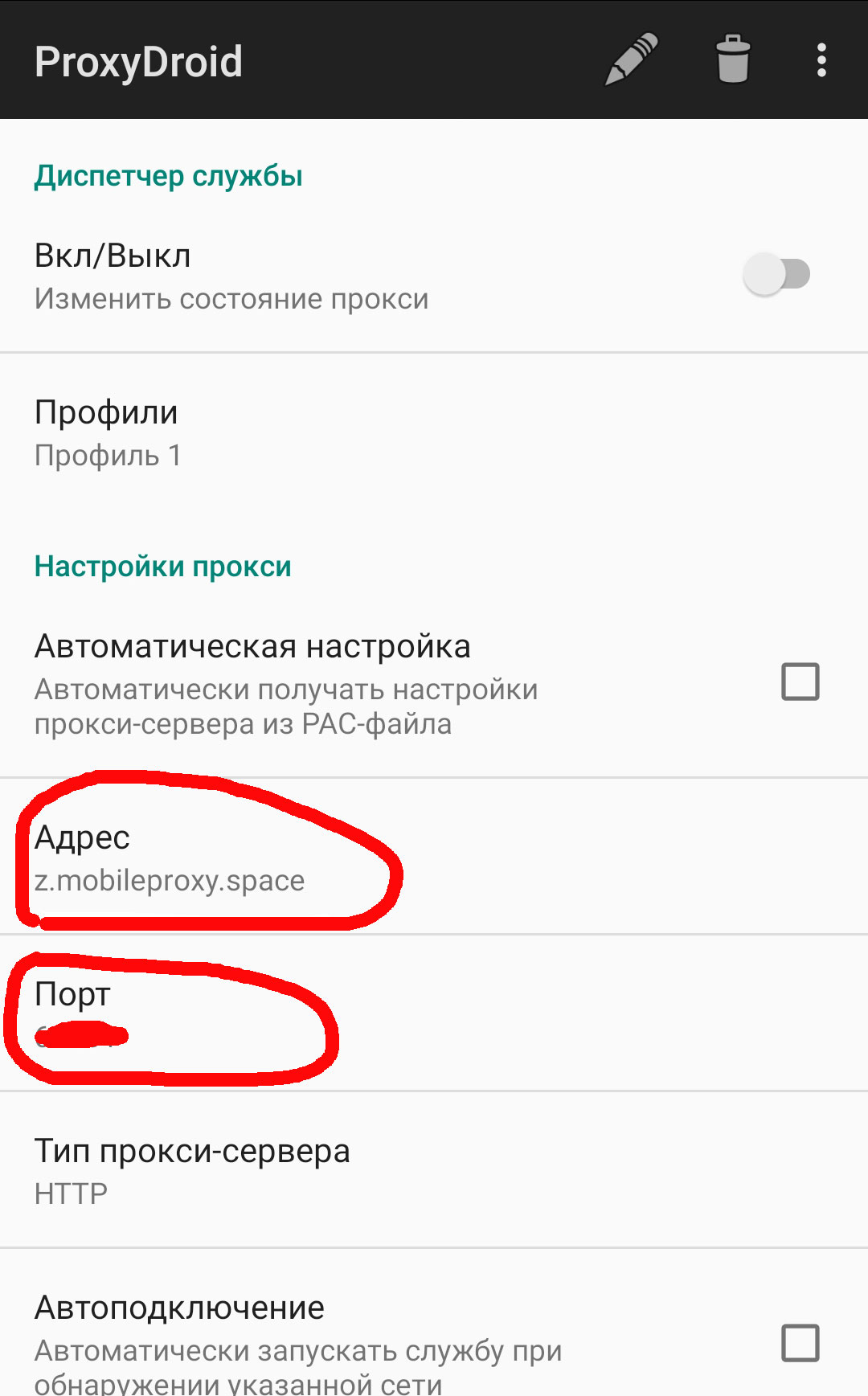
Download and install from the app store Google Play . After installation, launch and specify in the settings the data provided after buying a proxy .
Fill in the Address and Port
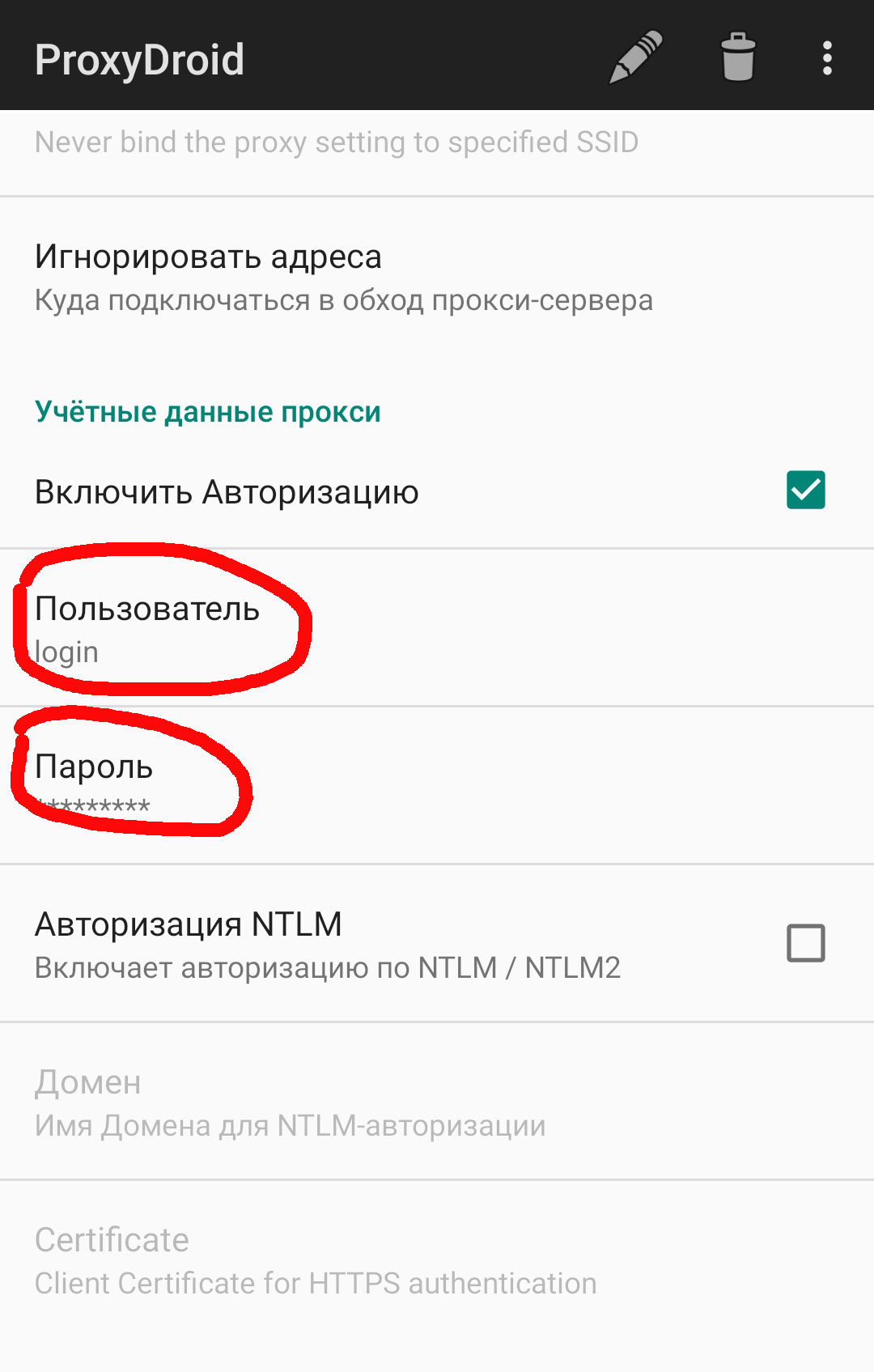
Scroll down and mark the checkbox `` Enable authorization '', after that the fields for specifying the login and password become available. This data is also taken from the column of the same name & nbsp; in the section my proxies .
What is ProxyDroid
ProxyDroid is a free Android app that routes the device's traffic through a proxy server (HTTP, HTTPS, or SOCKS5) at the whole-system level rather than per app. That means all apps go through the proxy at once.
For global traffic interception, ProxyDroid usually requires root (it uses iptables). Without root, the same goal is achieved by apps based on Android's VPN mode. ProxyDroid is handy when you need to send an entire Android device through a mobile proxy.
Frequently asked questions
What is ProxyDroid?
A free Android app that routes the whole device's traffic through a proxy (HTTP/SOCKS5). Useful for system-wide proxying rather than a single app.
Does ProxyDroid need root?
For global interception of all traffic — usually yes (via iptables). Without root, use apps that work through Android's VPN API.
Is ProxyDroid free?
Yes, ProxyDroid is free. You only pay for the proxy itself that you enter into it.
You can work!